

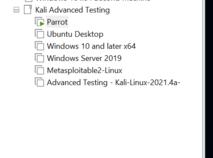
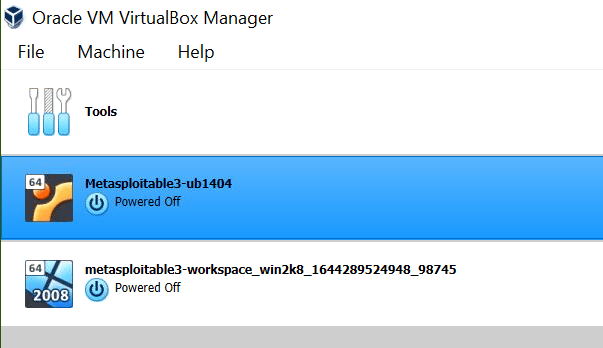
I purchased Daniel Dieterle’s new Advanced Security Testing with Kali Linux book. At the time it is only available in hard copy although he said he plans a Kindle release. It is a big thick book with over 700 pages so I would have preferred the Kindle version. I have read his previous Kali books a couple of years ago when I was starting out. The first section of chapters walks you through creating the lab for the book. I went ahead and setup the lab on my Intel Nuk machine since I wanted to follow along with the book. The virtual machines are a Windows 2019 AD Server with badblood run on it to populate Active Directory. A Windows 10 workstation but I guess you could use Windows 11 if you want. I installed Kali on my Nuk instead of using my go to install on my Surface Book 3. I did not want to mess up my good version I used for other things. You also install the OWASP Juice Shop on Kali although I don’t know why I just could not of put it on Ubuntu. An Ubuntu Workstation running OWASP Mutillidae 2 and all the prerequisites for it. I followed the video walkthroughs linked in the GitHub page and I only had one issue with changing the root password for MySQL. The fix for this is in the comments of that MySQL video. You also install the Damn Vulnerable Web Application (DVWA) on the Ubuntu box. Although it is not in the book I also installed Parrot Security to mirror the Kali tasks because I have not used it and wanted to check it out. All of these virtual machines are in VMware Workstation. The last machine was Metasploitable 3 which I had to install VirtualBox for. Reading the documentation on the GitHub site it sounded like you could make it work in VMware. I tried but had errors so I decided to just do it the way the book recommended but follow the directions on the site. I made it where both the VirtualBox and the VMware machines were on the same network and could talk to each other.
The last thing I need to do before working through the book is to copy my Elastic Security virtual machine I set up earlier and change the IP address and .yml config files to this network. I will add another Windows 10 Workstation machine with the Elastic Agent installed on it and parallel the commands between the machines. So far I am enjoying the book.

 Orville's Security Blog